
 +65 3138 7820

Top 7 Benefits of a Manufacturing Execution System (MES)
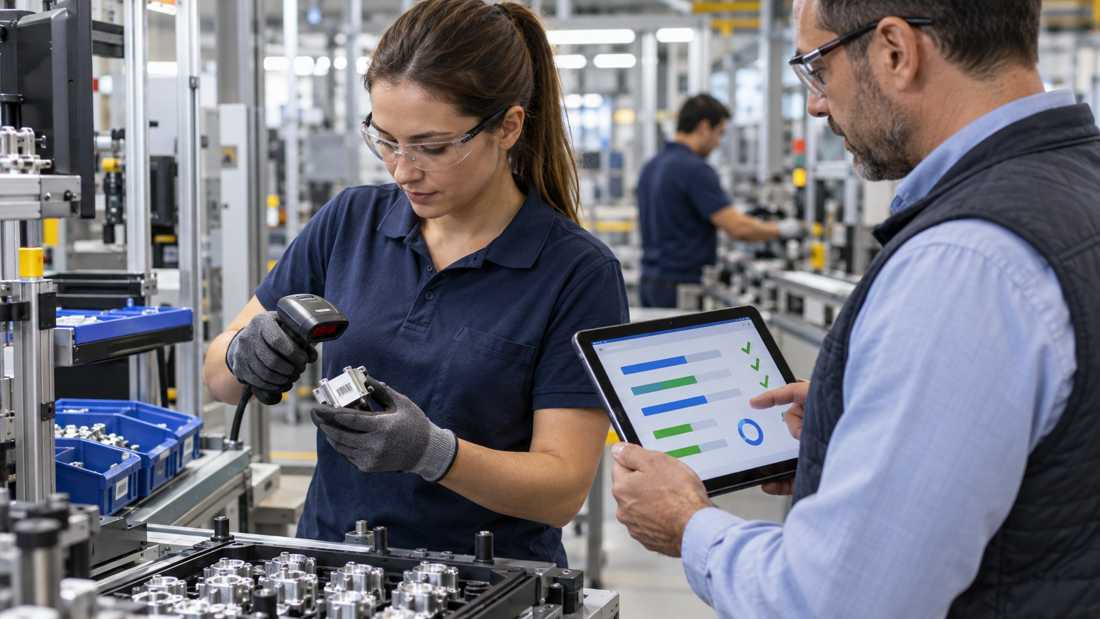
A production order can look settled on a planning screen. On the floor, people still need to know which task comes next, which material belongs to the order, and what has already been completed. A manufacturing execution system (MES) gives that daily work a shared record.
The benefits of MES come from using that record in the moment. The value depends on your process and how the system is used, so it helps to connect each benefit to a real decision in your plant.
What Are the Benefits of MES Software?
MES software supports production execution. It can guide work orders, capture activity, connect materials to finished products, and share results with business systems. The seven benefits below describe what those capabilities may help a team do. They are useful evaluation questions, not promised outcomes for every factory.
1. See Production Progress During the Shift
A supervisor may need to know whether an order has reached assembly, inspection, or packing. MES can show each operation’s status as employees record progress. That view helps the team coordinate the next task while work is still moving.
Imagine two orders sharing one line. The first is near its final check. The second needs a change of materials. When the supervisor sees both states, they can prepare the next setup and speak with the right people. The information is useful because it is tied to a specific order and step.
Ask what your team needs to see during a shift. Current status, completed quantity, and the next operation may be enough. Add more detail only when it supports a clear action.
2. Give Operators Consistent Work Instructions
MES can present an approved instruction at the workstation. The instruction may include a route, drawing, checklist, or product-specific setting. When the product version changes, the team can see which version applies to the current order.
This matters in plants with several variants. An operator may build one configuration in the morning and another after lunch. A screen linked to the order helps them follow the right sequence each time. It also gives supervisors a shared reference when they coach a new team member.
I would test this benefit with a real product change. Ask an operator to open both variants and complete the first few steps. The demonstration should show how the instruction is approved, updated, and displayed where the work happens.
3. Keep Quality Results Close to Production
Quality checks are most useful when they connect to the operation that produced the result. MES can prompt a check at a defined step and attach the result to the order, item, or batch. A reviewer can then see the production context alongside the recorded decision.
For example, a team might check a dimension after machining and confirm fit after assembly. The record shows which checks belong to each stage. It can also show who completed the work and who reviewed the result. This supports a clear handoff to the next operation.
Choose the checks that matter to your process. Then ask how the software handles the approved result and how the next team sees it. The workflow should match the way your quality team works.
4. Connect Materials to Finished Products
Traceability links the materials used in production to the items or batches produced. MES can capture lot or serial numbers as materials enter each operation. The resulting history helps teams answer a practical question: which components went into this finished item?
Consider a product with several supplied parts. A scanner records each part identifier at assembly. Later, a supervisor can open the product history and follow the recorded path through production. That history also helps teams review a supplier lot or confirm which route a product followed.
The detail you need depends on your product. Some plants track by batch. Others need serial-level history. Define the level before choosing a workflow, and test whether employees can record it naturally at the workstation.
5. Record Material Use and Output More Clearly
An order may call for a planned quantity of materials. Production records what was actually used and what was completed. MES can capture those quantities during work and pass confirmed results to inventory or ERP.
This gives planners a more current view of what is available. It also helps finance and operations understand the production record behind a finished quantity. The benefit comes from timing and ownership: everyone should know when a quantity is confirmed and which system keeps the official balance.
Take one order through a product demonstration. Record a partial completion and a material substitution if those are common in your plant. Then check how the result appears in inventory and reporting. That is a practical way to see the handoff.
6. Coordinate Work Across Shifts and Sites
Production often continues after one team hands the line to another. MES can preserve the order’s current state, completed steps, and next actions. The incoming shift can see where work stands and which records are ready for review.
The same approach can help a manufacturer with several sites. Teams can use common definitions for order status, product identifiers, and quality steps while each site follows its approved process. Managers can compare progress using a shared language.
Start with one handoff your team makes every day. Ask what the next shift needs to know, where that information should appear, and who confirms it. A short, usable handoff record often matters more than a large dashboard.
7. Give Planning Teams More Useful Production Data
MES records can show how long operations take, how orders move through a route, and where teams spend time. Planners and managers can use that history to review schedules, staffing, and process design. The purpose is to make the next decision with a clearer view of actual work.
Suppose one product variant regularly takes longer at a particular station. The team can review its instruction, materials, and sequence together. They may adjust a plan, a training step, or a process setting. The value comes from asking a specific question and using the recorded context to answer it.
Choose a small set of measures before rollout. Order progress, time by operation, completed quantity, and quality status can provide a useful starting point. Review the measures with the people who create the data.
How Can You Measure the Benefits of MES?
Start with a production journey, not a software feature list. Pick one product family and note how the team works today. Record the time needed to find an instruction, confirm order status, complete a handoff, and trace a finished item. These observations give you a baseline.
During a pilot, use the same tasks and definitions. Ask operators whether the steps fit their work. Ask supervisors whether the information helps them decide what to do next. Review the results alongside training effort and data quality. That keeps the discussion grounded in daily use.
Benefits can vary by line, product, and implementation scope. A clear pilot helps you decide where to expand and which workflow to refine first.
How Kingdee Supports MES-Related Workflows
Kingdee’s Manufacturing Management solution covers production control, mobile progress tracking, quality inspection, and workshop management. Its Cloud ERP connects how manufacturing information can connect with wider business processes. Kingdee’s manufacturing ERP solutions provide more context for planning and production workflows.
Map your own order journey before a demonstration. Then ask which product functions support each step, which records connect to ERP, and how employees will use the screens during a shift.
FAQs
What is the main benefit of MES software?
MES gives teams a shared record of production work as it happens. That record can help operators follow instructions and help supervisors see order progress and the next action.
Can MES help with product traceability?
Yes, when the system captures the identifiers your process requires. It can link material lots or serial numbers, operations, and quality results to a finished item or batch.
How should a manufacturer measure MES benefits?
Choose a few real tasks before a pilot, such as finding an instruction, confirming order status, or tracing an item. Compare the same tasks after rollout and include employee feedback.
This content is for informational purposes only and does not constitute legal, tax, or accounting advice. Product capabilities, availability, configuration, and applicable regulatory and compliance requirements may vary by edition, market, and implementation. Finance, tax, audit, and legal teams should validate obligations with qualified professionals and local authorities.